Best Monitor Light Bar for Dual Monitors (2026 Guide)
Dual monitor setups have become the standard for professionals who spend long hours at their desks.
Programmers, designers, traders, and remote workers all benefit from the increased productivity that multiple screens provide.
However, one common problem with dual monitors is poor desk lighting.
Traditional desk lamps often create glare on one or both screens.
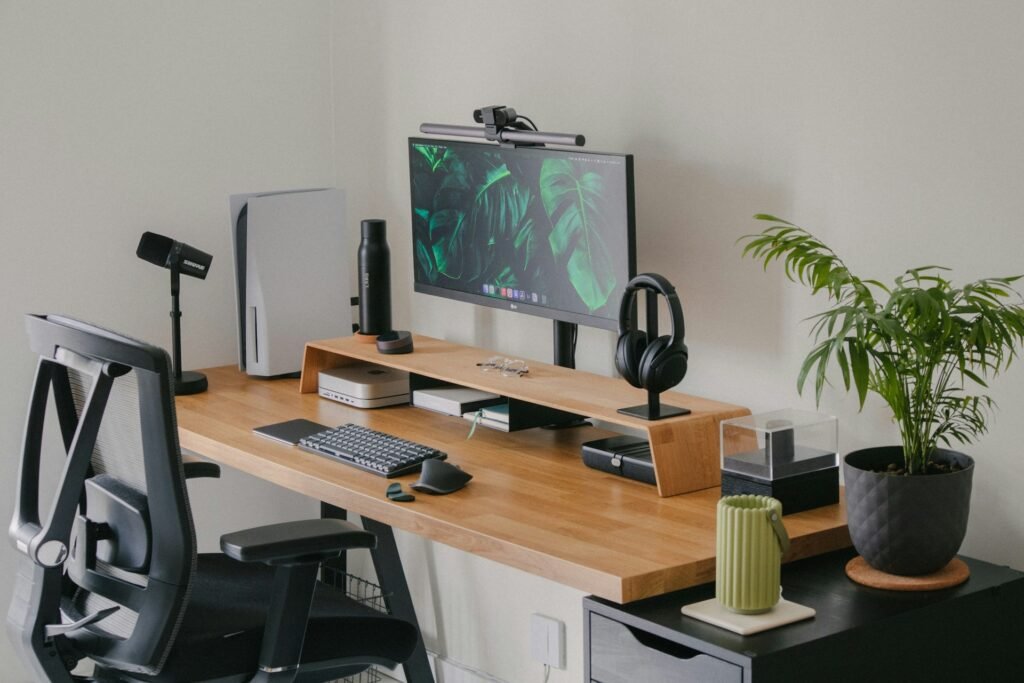
This is why many professionals now prefer monitor light bars, which provide even lighting across the desk without reflecting on the monitor.
In this guide, we will explore the best monitor light bars for dual monitor setups, along with tips to create a comfortable workspace.
Why Dual Monitor Setups Need Specialized Lighting
Working with two monitors increases the visual area you focus on.
Without proper lighting, this can cause:
- eye strain
- uneven brightness across the desk
- glare reflections
- increased fatigue during long work sessions
Monitor light bars solve these issues by projecting light downward onto the desk surface rather than toward the screen.
They also help create a balanced lighting environment between your monitors and the surrounding workspace.
5 Best Monitor Light Bars for Dual Monitors
1.BenQ ScreenBar Halo
Best overall monitor light bar for dual monitor desks.
Key features
- asymmetrical optical design to prevent screen glare
- wireless controller for brightness adjustment
- wide lighting coverage perfect for large desks
This model is widely used in professional workspaces because it delivers consistent lighting across large desk areas.
2.Xiaomi Mi Computer Monitor Light Bar
Best budget option.
Why it works well
- affordable price
- sleek minimalist design
- easy installation
Despite its lower price, it still provides glare-free lighting suitable for most dual monitor desks.
3.Quntis ScreenLinear Pro
Best for wide desks.
Highlights
- wider illumination range
- adjustable color temperature
- touch control panel
Ideal for dual monitor setups where the desk space extends beyond the width of a single screen.
4.LYMAX Monitor Light Bar
Best value monitor light bar.
Key features
- wide illumination coverage
- adjustable brightness levels
- USB powered design
The LYMAX monitor light bar is a practical choice for dual monitor setups thanks to its wide lighting angle and simple installation.
5.Yeelight Monitor Light Bar
Best smart lighting option.
Highlights
- adjustable brightness and color temperature
- premium aluminum build
- clean minimalist design
Yeelight products are known for their modern smart lighting ecosystem and sleek workspace aesthetics.
How to Position a Monitor Light Bar with Dual Monitors
There are two main approaches depending on your monitor layout.
Option 1 — Single Light Bar in the Center
Best for:
- two identical monitors
- monitors positioned closely together
The light bar sits on the primary monitor and illuminates the entire desk area.
Option 2 — Two Light Bars
Best for:
- ultrawide setups
- very large desks
- triple monitor setups
This ensures consistent lighting across the full workspace.
| Feature | Monitor Light Bar | Desk Lamp |
|---|---|---|
| Screen glare | Minimal | Possible |
| Desk space | Saves space | Uses desk area |
| Lighting direction | Downward focused | Adjustable |
| Setup style | Minimalist | Traditional |
Many modern desk setups now prefer monitor light bars because they keep the workspace clean and organized.
For a deeper comparison, see our guide:
Tips for the Perfect Dual Monitor Lighting Setup
To create a comfortable workspace:
1️⃣ Balance ambient lighting
Avoid working in a completely dark room.
2️⃣ Choose adjustable brightness
Lighting that can adapt throughout the day helps reduce fatigue.
3️⃣ Use neutral color temperatures
Recommended range : 4000K – 5000K
This range improves focus and clarity.
Final Thoughts
A dual monitor setup can significantly improve productivity, but proper lighting is essential to prevent eye strain and maintain comfort.
A monitor light bar designed for wide desk coverage is one of the easiest ways to improve your workspace.
Whether you choose a premium option like the BenQ ScreenBar Halo or a budget-friendly alternative, the right lighting can transform your desk into a more comfortable and productive environment.